
Field Service Software — For Companies That Want to Own It
Run Your Whole Service Business in One System.
It remembers every customer, plans every crew’s day, and sends every finished job to the office ready to bill. Your company owns the software and the code behind it. No monthly per-user fees.
- No monthly per-user fees
- Your data in your accounts
- Your own branded crew app
- Perpetual license — it’s yours
Renting Software Never Ends.
Every month, forever — and it was never yours to begin with.
Per-user fees forever
Add a crew member, pay more. Every month, every year, for as long as you’re in business.
Everyone gets the same app
Your competitors log into the identical tool with the identical features.
Your data, their cloud
Customer list, invoices, job history — stored in someone else’s account.
Support is a ticket queue
Need a feature? Get in line. It’s not your software, so it’s not your roadmap.
One Platform. The Whole Company.
Everything a service business runs on — office, field, and billing — under your own roof.
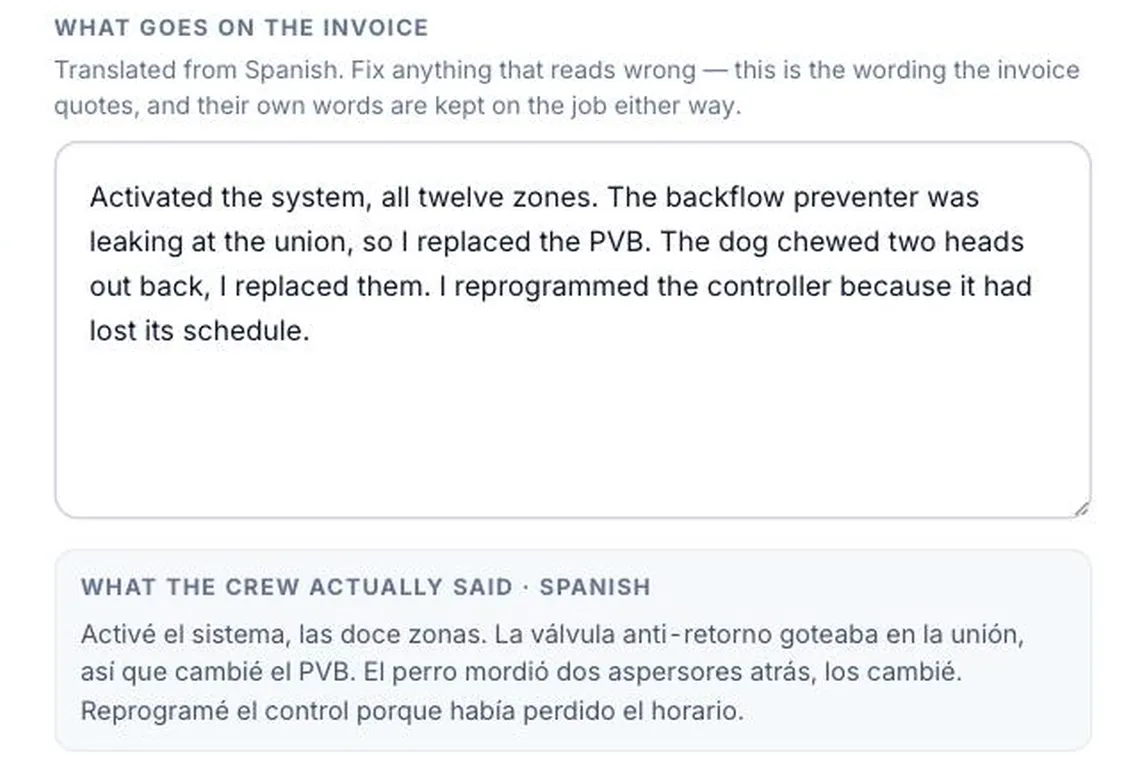
He speaks Spanish. She reads English.
Your crew talks into the phone in his own language. The note lands in the office in English, ready to bill. Nobody translated anything.
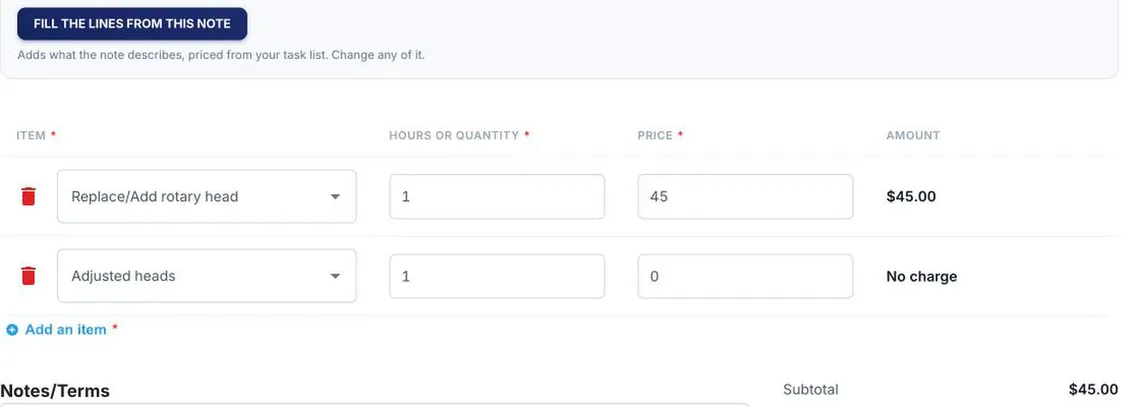
His words become the invoice.
The office opens the invoice and the lines are already there, priced from your own task list.
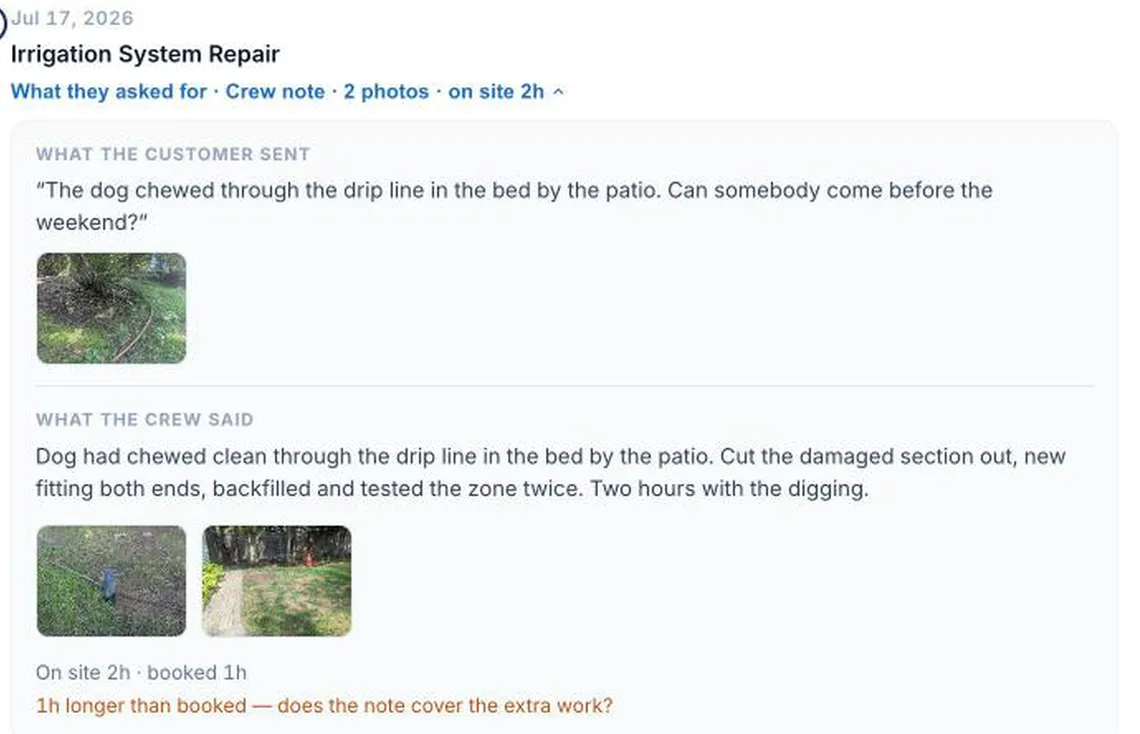
The photo they sent, next to what you found.
What the customer texted, what the crew said, before and after, and the clock. One row.
You own it. All of it.
Perpetual licence, source code, in accounts with your name on them. A job you built for yourself becomes a business you can sell.
Real Screens. Real Work.
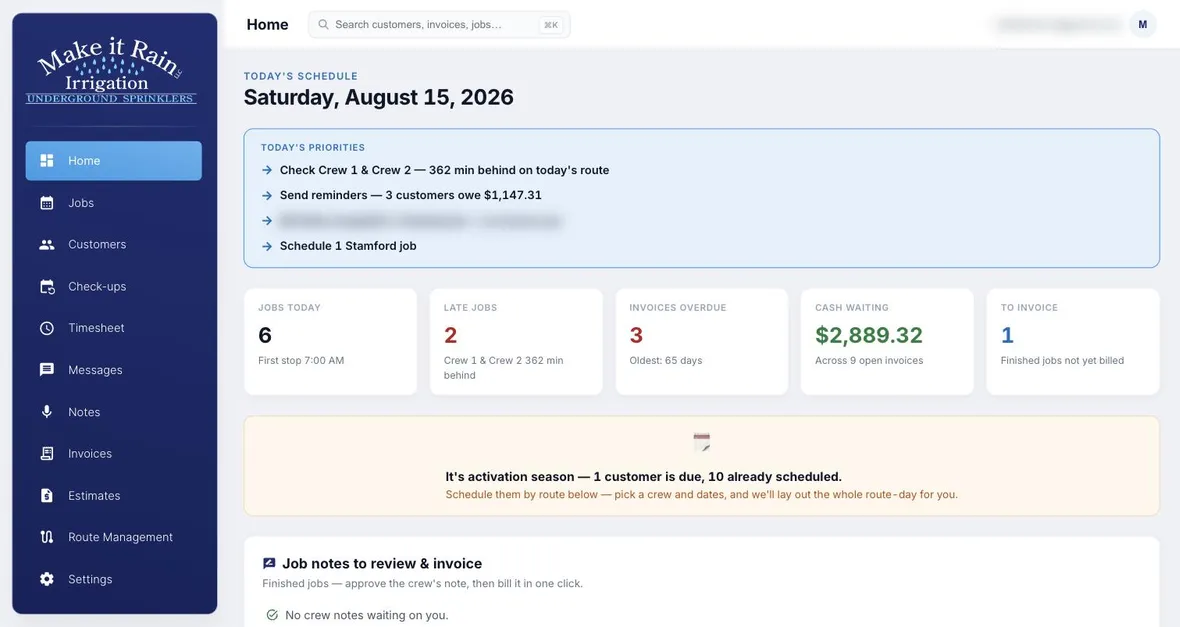
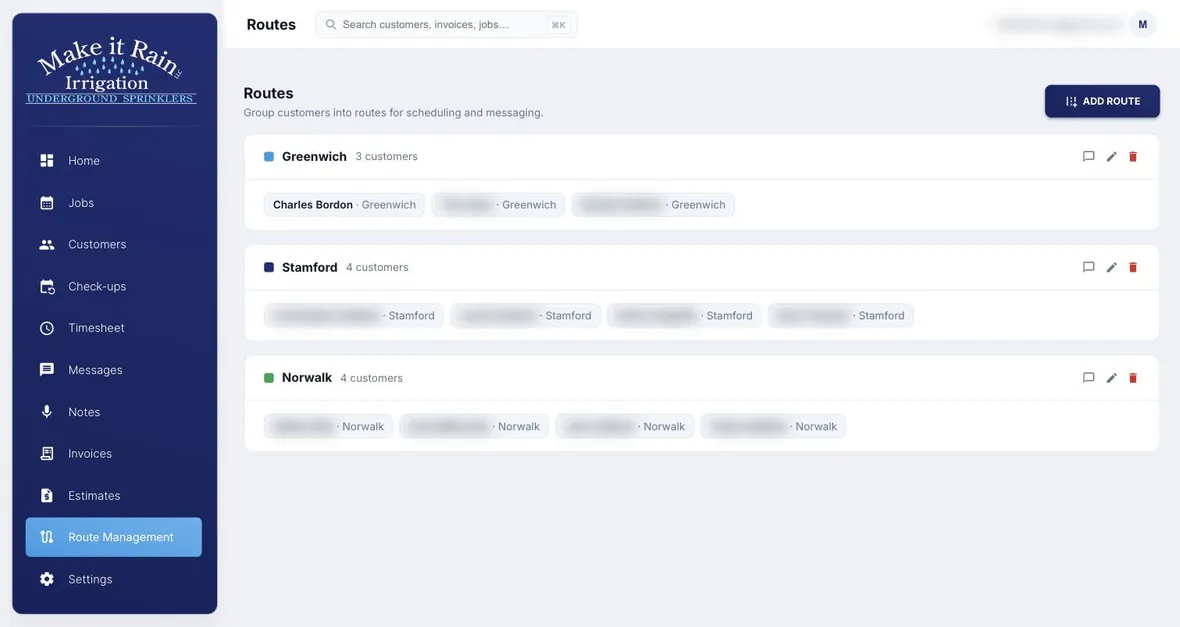
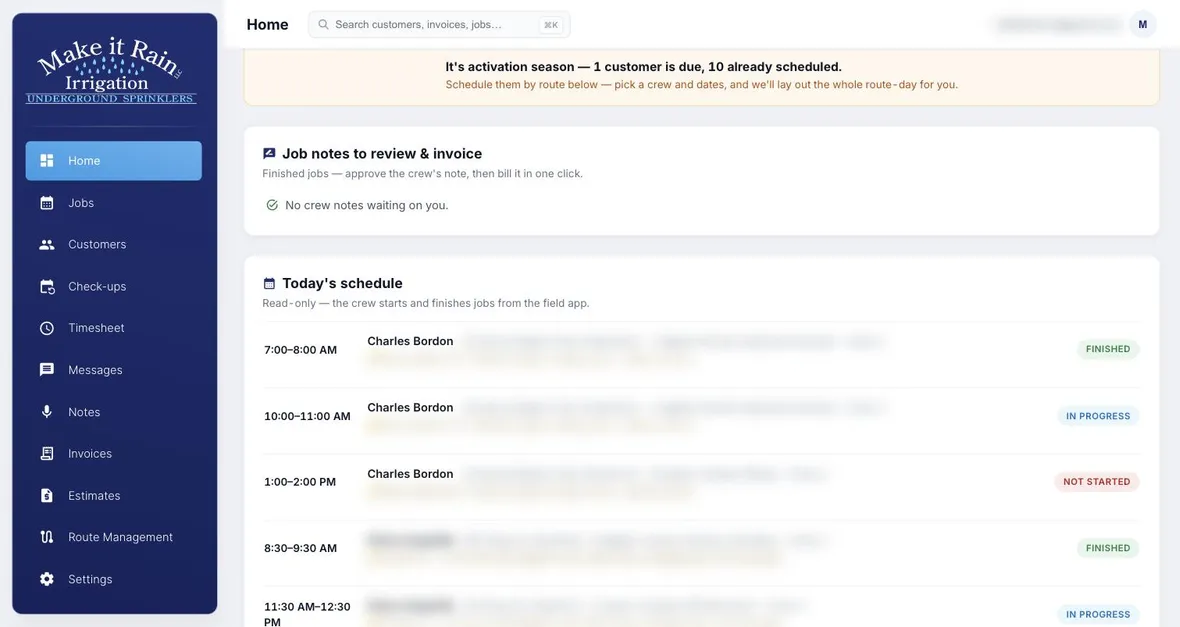
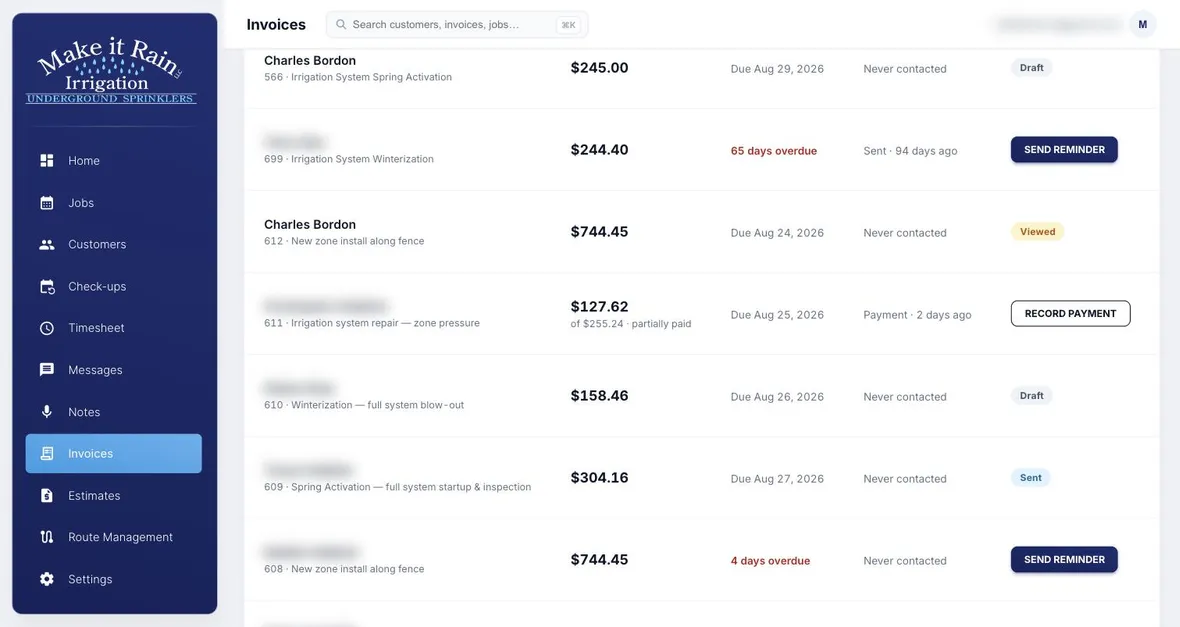
Watch a Job Move Through the Company.
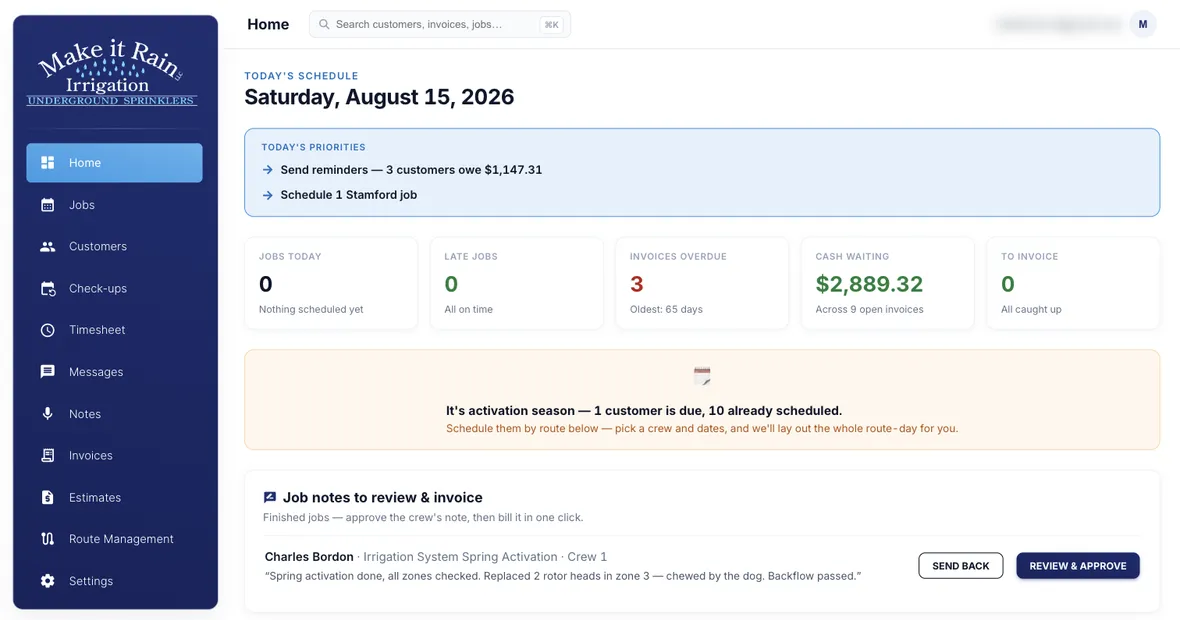
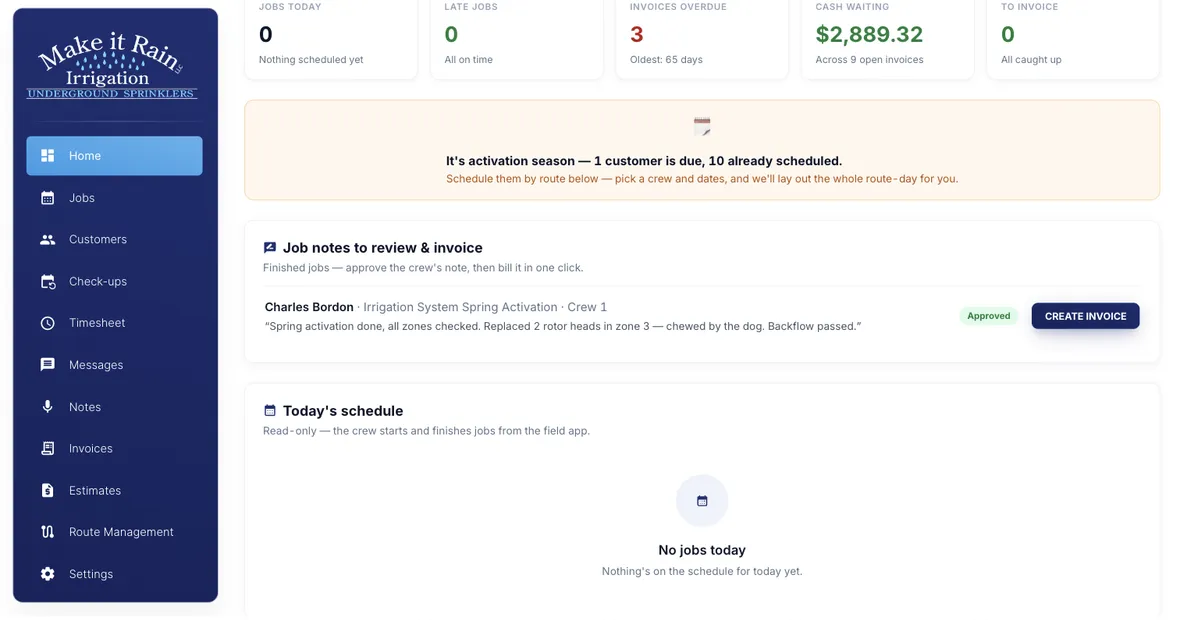
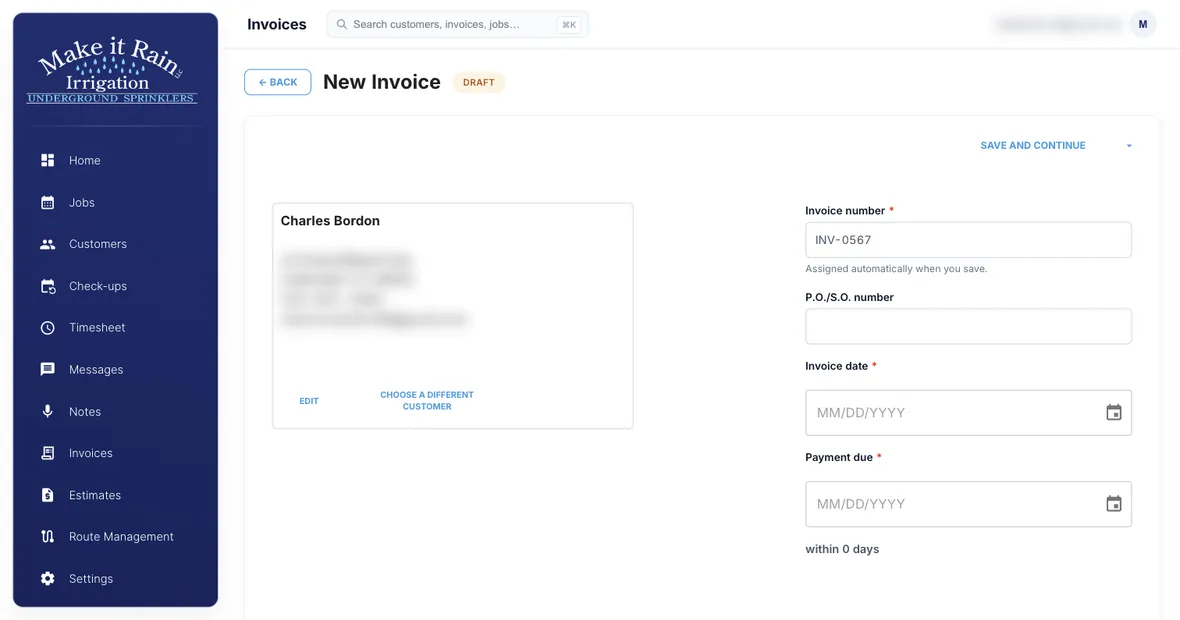
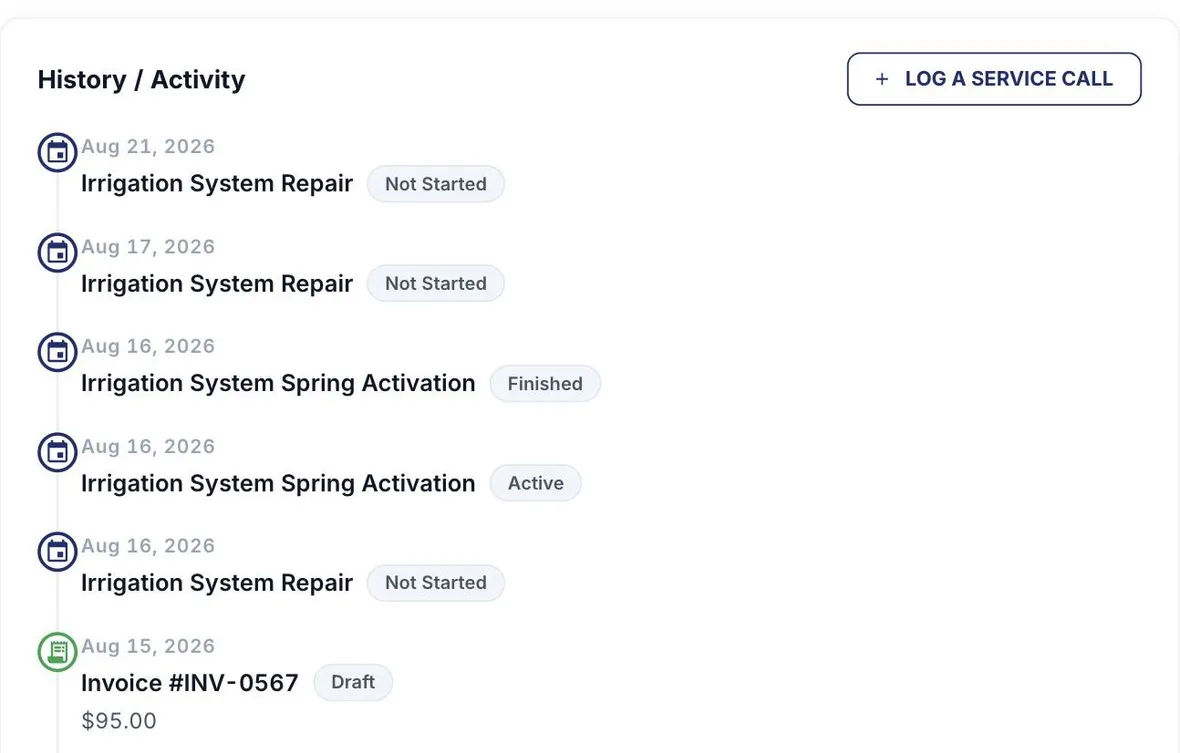
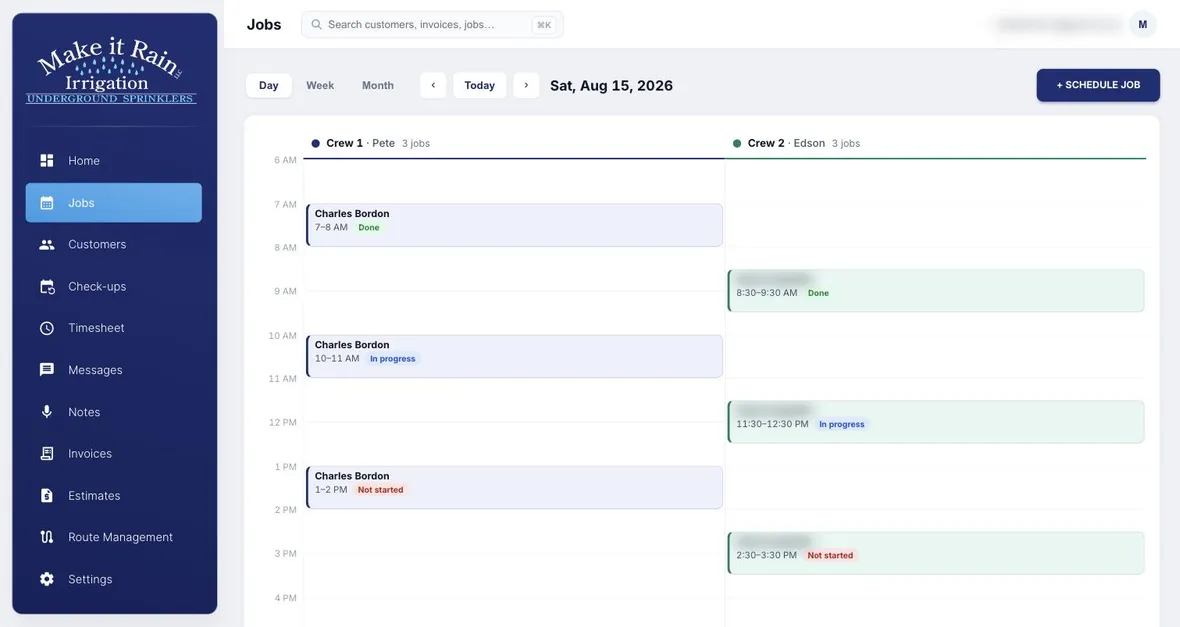
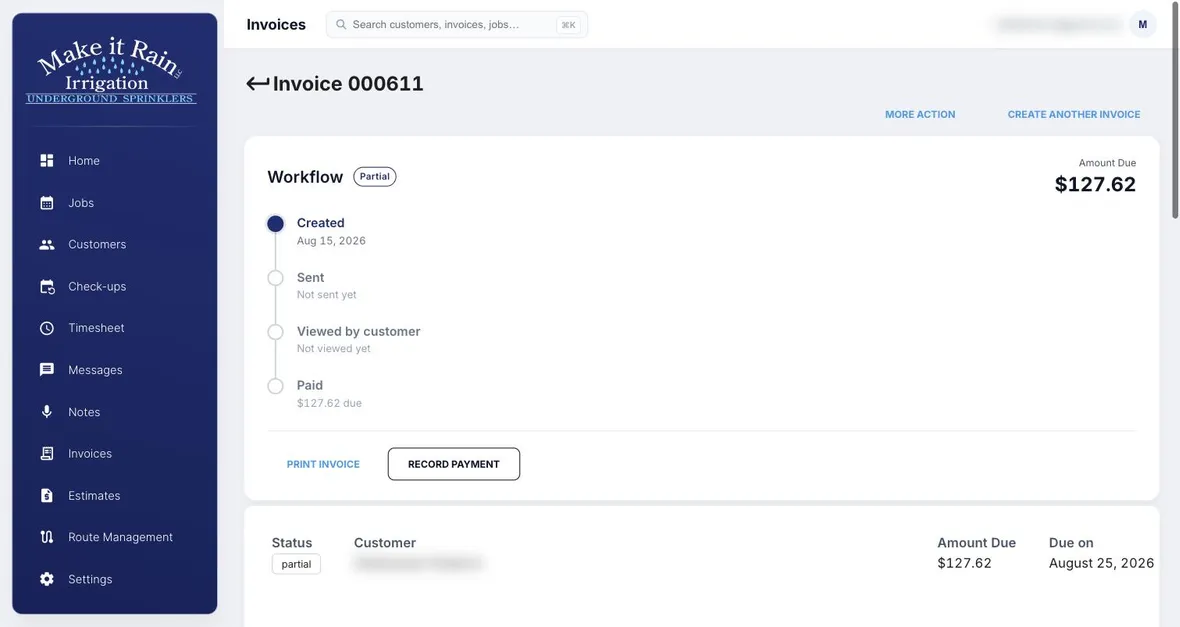
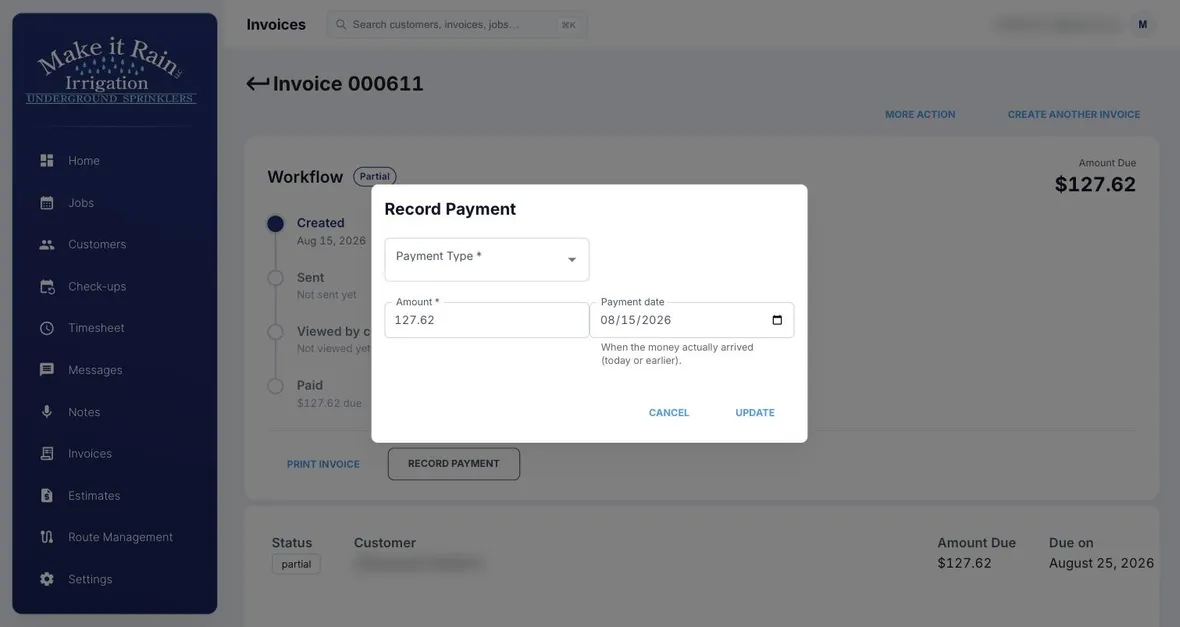
“From the morning route to the office invoice, these are real screens from the field-service system I built for Make It Rain Irrigation.”

Every Account. Your Name. Your Card.
We don’t host your business — we build it in accounts you own. If we disappeared tomorrow, you’d still hold every piece.
- GitHub — your code
- DigitalOcean — your servers
- Stripe — your money
- Twilio — your number
- OpenAI + Elevenlabs — your AI
- Apple + Google — your apps
How It Works
1
Quick call
See the live system, and get a straight price. You see the real thing, not slides.
2
We deploy
3–6 weeks: your accounts created, your branding, your customer list imported, your apps submitted to the stores.
3
You own it
Perpetual license — yours forever, unlimited users. A care plan keeps it supported and improving.
Straight Pricing. No Meter Running.
Founding pricing for our first three clients — the license moves to $25,000 after that. Year one, all in: $25,000 for license and deployment, plus $9,000 if you take the optional care plan.
Perpetual License
$15,000 one time
A perpetual license, source code included — yours forever. Unlimited users, unlimited customers, every feature. Nobody can raise the rent or take it away.
Deployment
$10,000 one time
Ten-plus accounts created in your name, your branding everywhere, your customer list imported, apps published, your team trained.
Care Plan
from $750 per month
Optional. Support, updates from the product line, and a technology guy who answers the phone. 12-month minimum, month-to-month after that. Skip it and the software still runs — it’s yours.
Terms: 50% to begin, 50% at go-live. Your own accounts (servers, texting, AI) bill you directly at cost — typically $50–150/month all-in.
Built in the Field
This Is the Real System, Not a Mockup.
Built for and deployed with an irrigation company in Fairfield County, Connecticut — from the morning schedule to the office invoice. Every screen on this page is the running product. On your call, we’ll show you the live system, not slides.
Quick Questions
Is this a subscription?
No. The license is perpetual — pay once, own it forever, unlimited users. The only recurring cost is the optional care plan and your own accounts’ usage.
What happens if First-Rate Tech disappears?
You keep everything. The code, servers, payment processing, phone number, and app store listings are all in accounts your company owns. Any developer can pick it up.
How long does deployment take?
Three to six weeks. The pace is set by outside approvals — app store review and text-messaging carrier registration — not by us.
Can you customize it for our business?
Yes. That’s what the care plan is for: your feature requests go on your roadmap, because it’s your software.
What does it cost to run?
Your own accounts bill you directly at cost — typically $50–150 a month total for servers, texting, and AI.
Own Your Software. Run Your Company.
Book a free 20-minute call. We’ll show you the live system and give you a straight price — no pressure, no sales games.
Book a Free Call