
01
Speak in Spanish.
Get an English draft ready for office review.
AI-powered field service software you own
Spanish voice notes become English drafts. Review and approve the work, then fill invoice line items from the note with a click. Customer texts, photos and job history stay connected.
One system for the crew and office. A license you pay for once.
One connected job record
office.makeitrain.com · ✓ One job record, from field to billing
Field service software
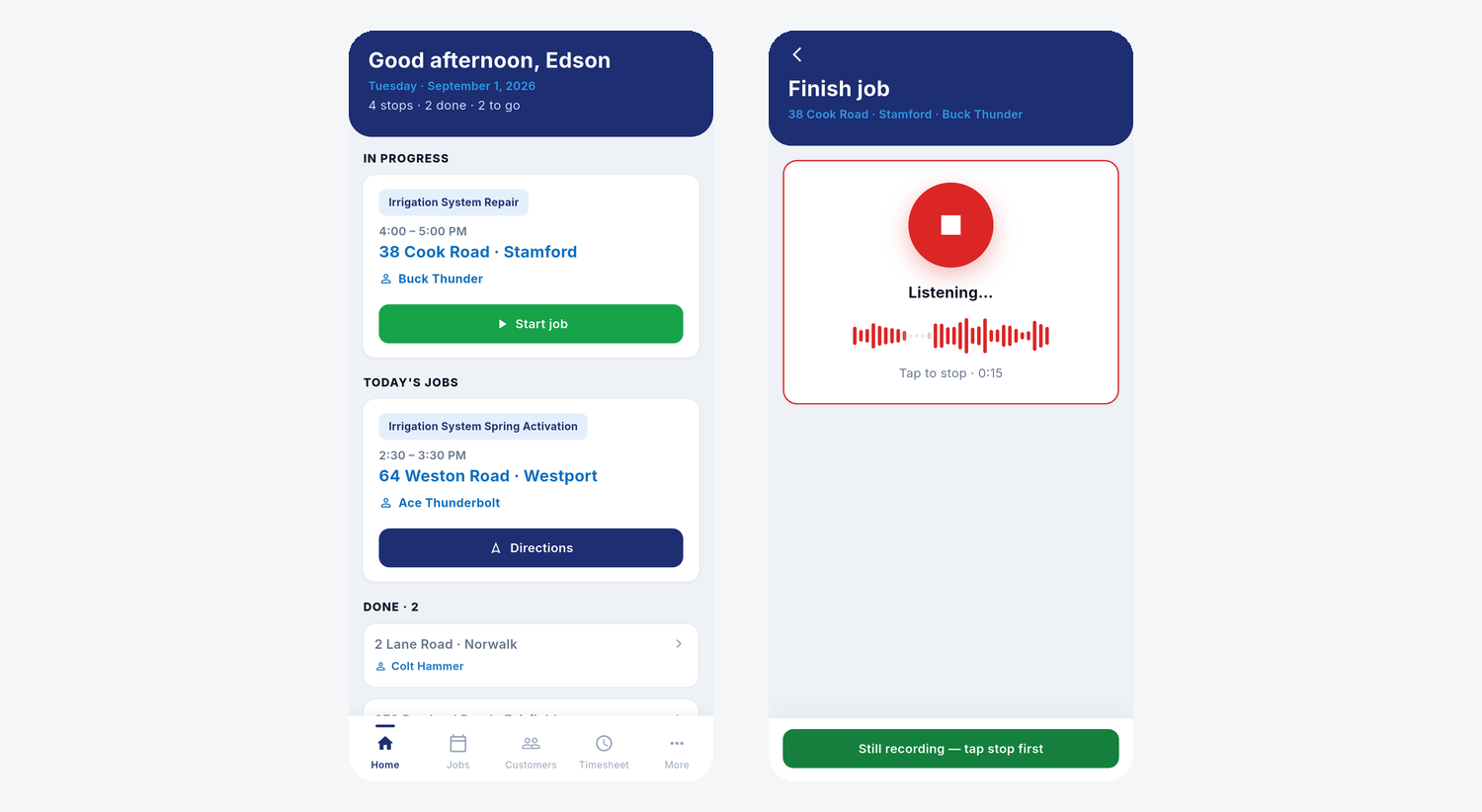
The office books the job, the crew records the work on a phone, and the office reviews the notes and photos before sending the invoice.
AI built into the job
AI connects the field to the office.
Your team stays in control.
01
Get an English draft ready for office review.
02
Fill the invoice from approved notes with a click.
03
Start a prefilled job from a message and photo.
04
Track who did what, when, with notes and photos.
One job. One flow. One system.
01
Customer
Message + photo arrive in the app.
02
Office
Open a prefilled job. Choose crew and time.
03
Field
Work report → English draft.
04
Office
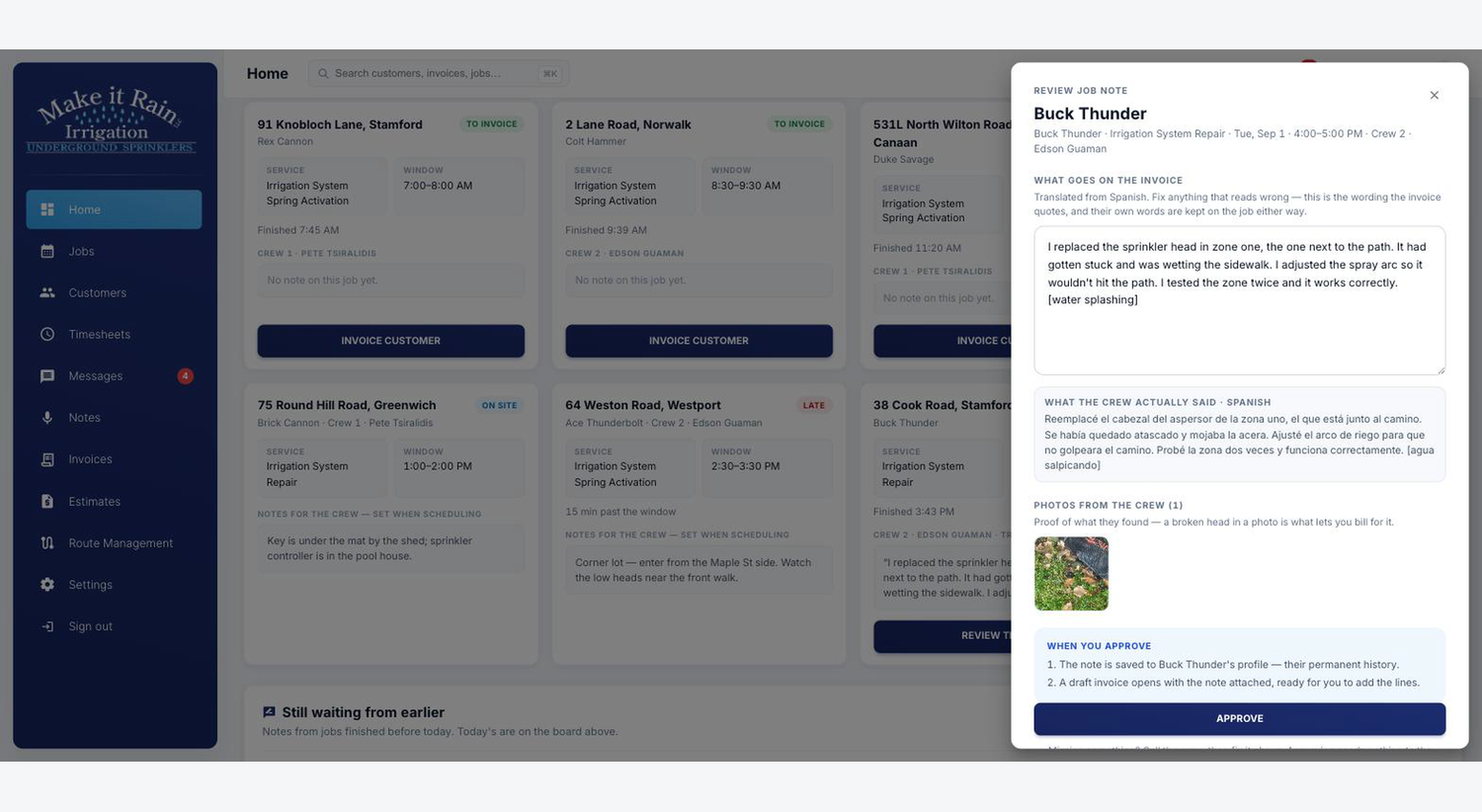
Check the translation, original note and photos.
05
Billing
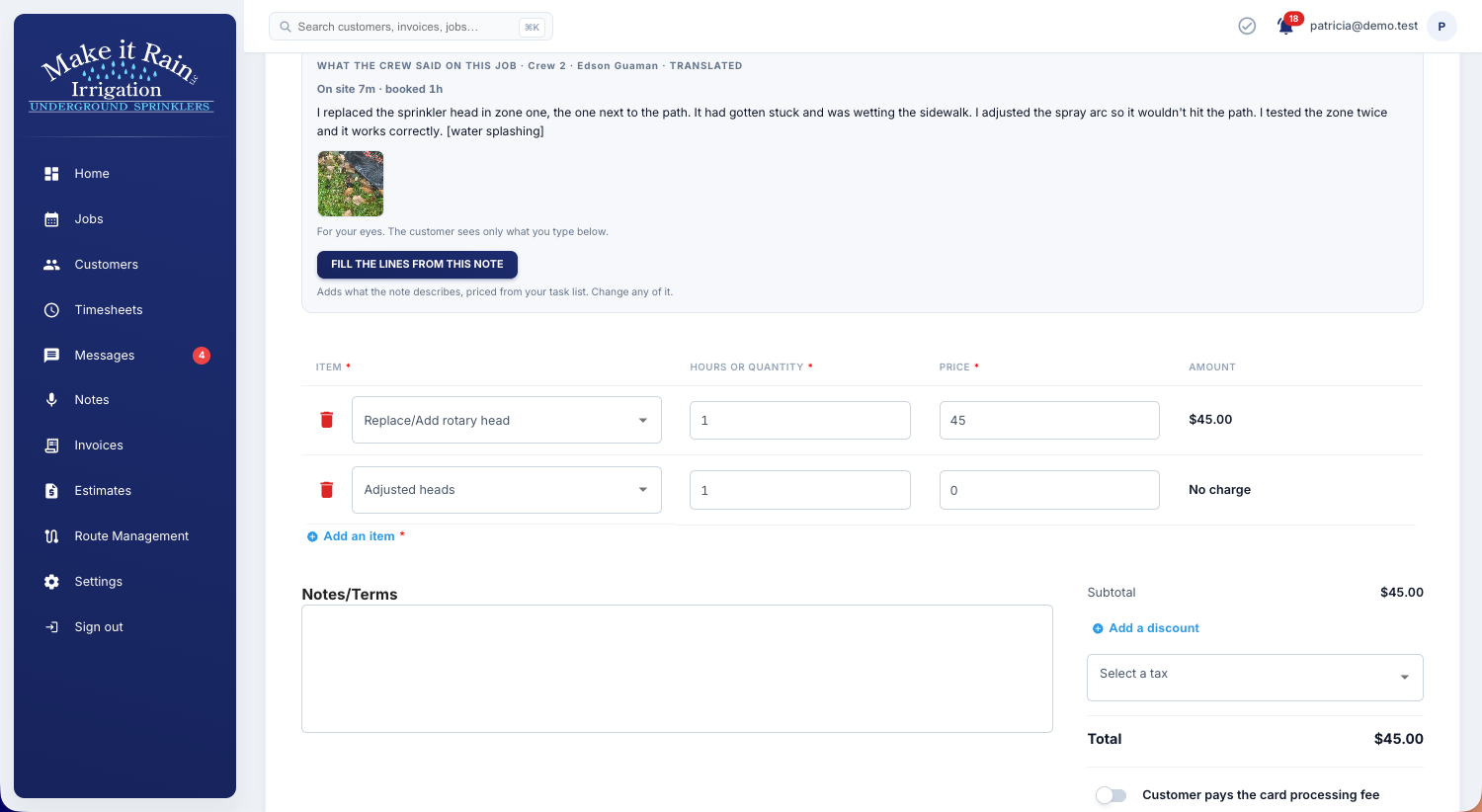
Click to extract the note into priced line items.
One connected record: the work, the people, the photos and the billing.
Built for the field
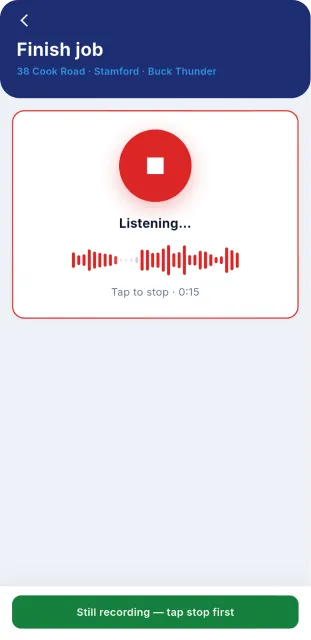
When your hands are dirty, a spoken update is easier than a long form. A crew member can report the work in Spanish and give the office an English draft to review.
The crew captures the work while it’s fresh. The office gets a draft it can act on.
A real job · From field to office
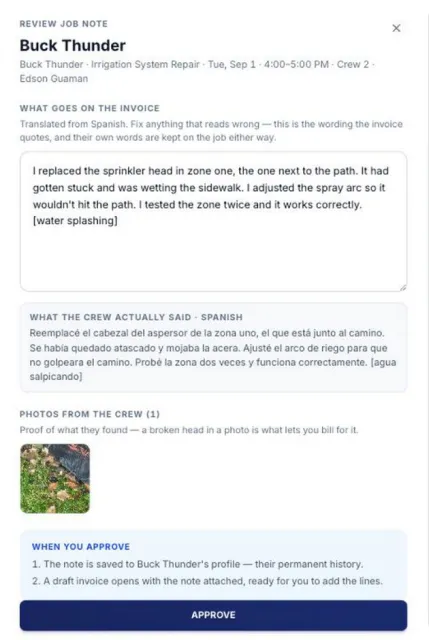
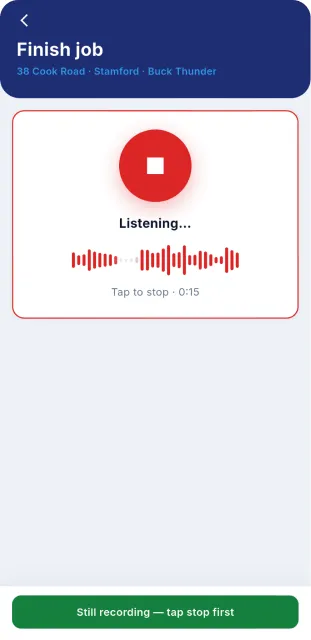
The crew records the work, checks the transcript and adds photos. The office gets an English draft beside the original Spanish, ready to review and approve.
Record the work while it’s fresh.
Review the Spanish transcript and attach photos.
See the original words and photo before approving.
The original words, translation and photo stay connected to the job.
Approved note → Priced invoice lines
Open the invoice and select “Fill the lines from this note.” The app extracts the work into line items using your task list’s pricing. Review or adjust the items, then send.
Your team controls approval, pricing and sending.
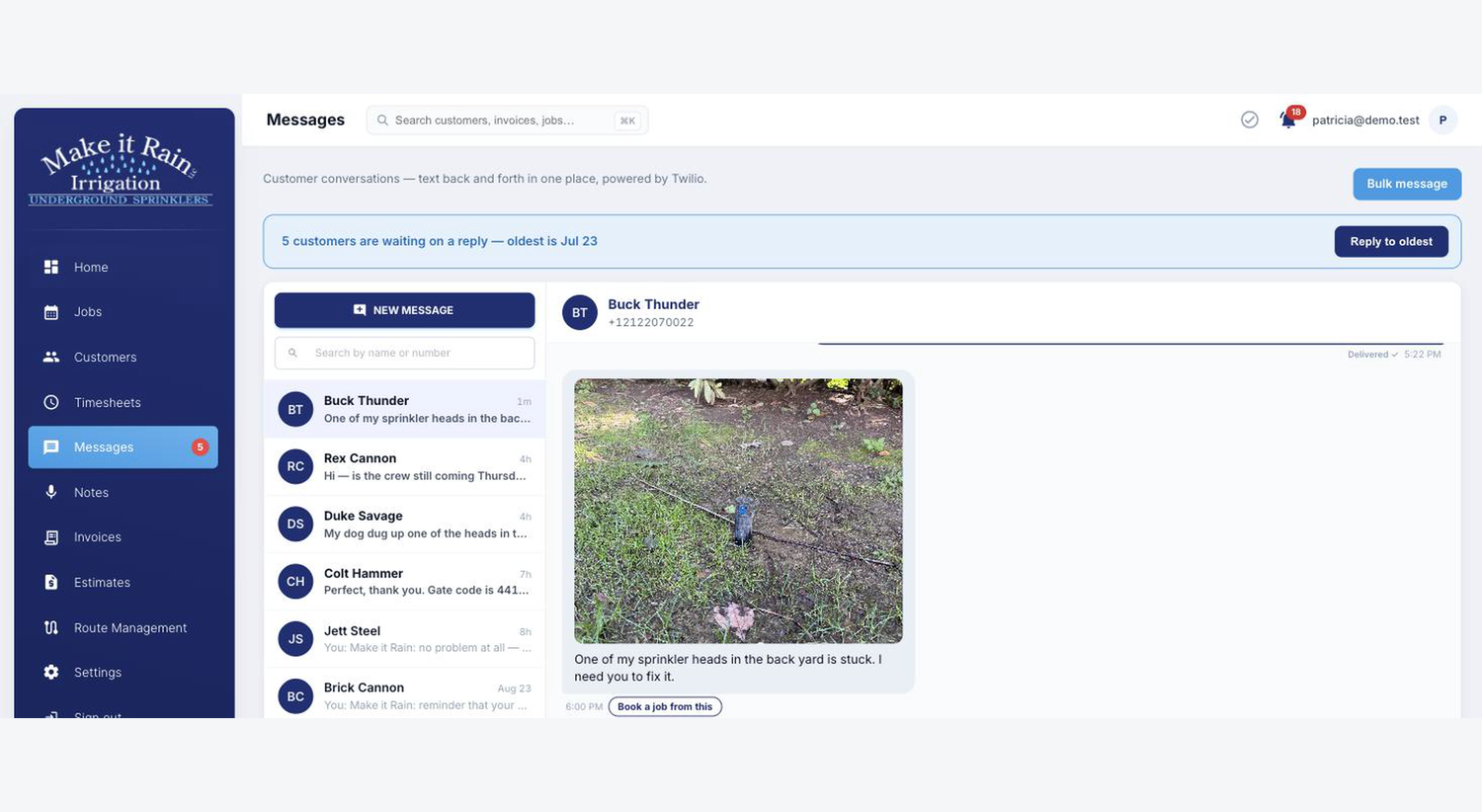
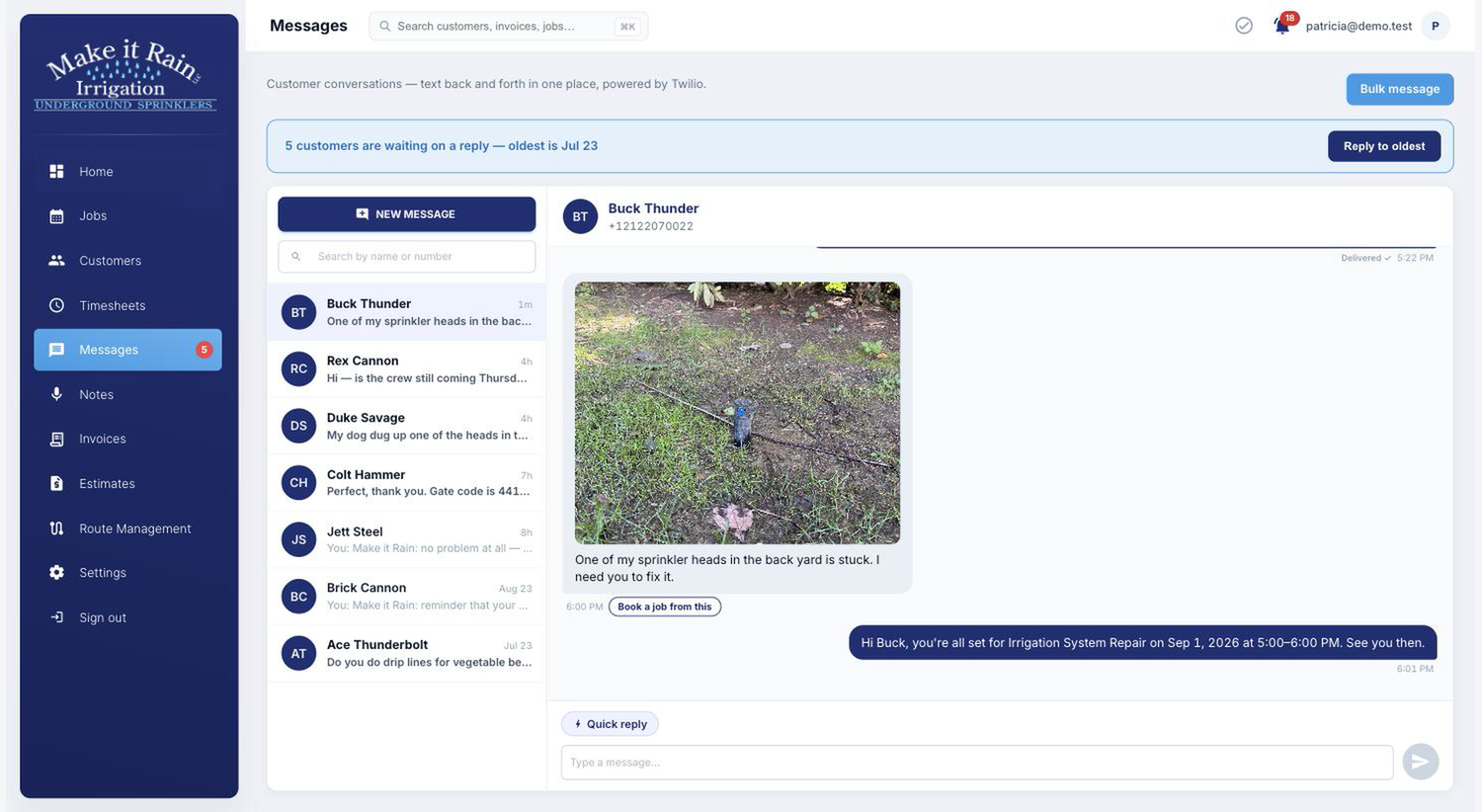
Customer text + photo → Job
A repair request arrives by text, with a photo attached. Select “Book a job” from the conversation to open a job with customer details already filled in. Choose the crew and time to schedule it.
If a customer questions the work, review who did what and when, with the original notes and photos.
Built in the field · Make It Rain Irrigation
Pete had more than 600 customers, a crew, an office assistant, and Jobber. Calls, scheduling, and job details still depended on his phone and memory.
Before
Samsung phone · Calendar · Notes · Memory
Office assistant chasing Pete at the end of the day.
With the system
Start the job → Talk into the phone → Finish
See current job and crew activity. Follow the notes, photos and approvals when you need to trace what happened.
Ownership
You get a perpetual license and source code. Your company controls its data, infrastructure and connected accounts, with no recurring software license or per-user fees.
Automated checks cover the office app, crew app, and the connections between them.
Role-based access controls what each person can see and do.
A second verification step helps protect app accounts beyond a password.
Subscription software
Your platform
Straight pricing
No recurring First-Rate software license fees. No per-user charges. No monthly retainer.
Third-party services, usage and fees are billed separately to your company.
Perpetual license
Perpetual license with source code. Unlimited users and customers. The complete system, licensed once.
Implementation
Company-owned accounts, security, payments, texting, hosting, mobile app setup and team training. See the full setup below.
What does setup include? ↓Optional support · Buy as needed
A prepaid support pack for maintenance and software updates when needed. New custom features are scoped separately.
What your $10,000 implementation includes
We configure the accounts, connect them to your software, and prepare your team to use it. Everything below is set up in accounts your company controls.
A shared password vault, two-factor sign-ins, and protected credentials for the services connected to your app.
Dashlane · Doppler
Your code repository, app hosting and customer database, configured and connected in your company’s accounts.
GitHub · DigitalOcean · MongoDB Atlas
Payment processing, a business number for texts and photos, and submission of the required business texting registration.
Stripe · Twilio
Apple and Google developer accounts, branded app setup and submissions, plus help obtaining a D-U-N-S Number if needed.
Apple Developer / App Store Connect · Google Play Console · D-U-N-S
Voice and AI accounts configured for the app’s reporting, translation and billing workflows.
ElevenLabs · OpenAI
An app domain and private support mailbox. A simple landing page with an inquiry form is included if you don’t have a website.
Namecheap · App domain · Support inbox · Landing page
Your branding, customer import and team training are included. You keep control of the accounts, access and billing.
The $10,000 covers implementation work. Third-party subscriptions, usage, payment processing, registration fees and renewals are billed separately to your company.
We guide the required business verification and submissions. Carrier and app-store approvals can affect launch timing.
Questions before the call
See the real system first. Then decide whether it fits your company.
See the real system
See the text-to-job and voice-to-invoice workflows in the live system. Then talk through ownership and fit for your team.
See the Live System