
Dispatch Software for a Small Crew: What It Should Actually Do
Most dispatch tools sell you a map. What a small crew actually needs is real-time job data and clear calls on who decides what.
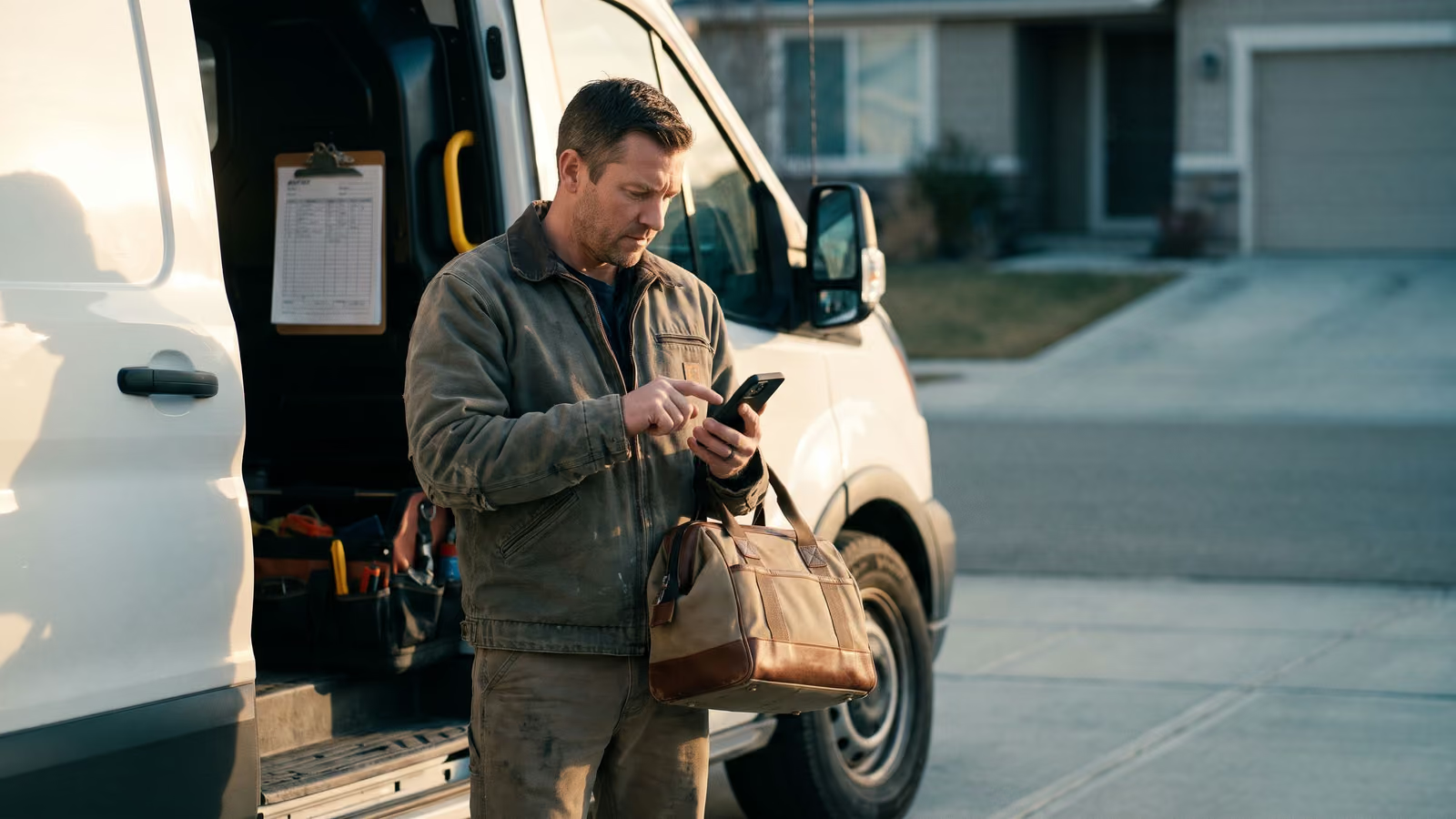
You know where everyone's going. You knew at 6:40 this morning, standing in the driveway with a coffee, sorting four jobs between three trucks. That part takes two minutes.
The trouble starts after they drive off. The office doesn't know when the crew got there, what they found, or how long they were actually on site, not until someone calls and asks, or until Friday, when the hours get reconstructed from memory.
That's the gap most dispatch software for a small crew either fills or ignores. A map with pins on it doesn't fill it. Knowing the truck arrived at 9:12 and left at 11:40, with notes attached, does.
By the end of this you'll know which features matter for a shop your size and which ones are sold to fleets.
What counts as a small crew — 2 to 10 people, not a fleet
Two trucks and a helper. Four techs and an office manager who also answers the phone. A husband-and-wife shop with three guys in the field and a part-time bookkeeper. That's the shape of the small business we're talking about, and it behaves nothing like a company with forty vans and a dispatch desk staffed all day.
At this size, the owner is usually one of the people driving. Scheduling happens in his head, or on a whiteboard, or in a group text that scrolls past itself by noon. Nobody is paid full-time to assign work. The crew knows each other's strengths without anyone writing them down.
A fleet is a different animal. Fleet software is built around vehicles, fuel, DOT logs, and long-haul routing between cities. If the tool you're looking at talks about miles per gallon and driver hours of service, it was built for trucking, and you'll spend your first month turning features off.
Large field service operations are a third category. Hundreds of techs, multiple branches, dispatchers watching a board. That software assumes a dispatcher exists. Yours doesn't.
So the honest range is roughly two to ten people in the field, one person in the office, one owner who still goes on calls. Past twenty or so, the problems change and so does the software. Below two, a calendar is enough.
The dispatch decision is the easy part
You already know who should take the call. Mike's good with old boilers. Dana lives fifteen minutes from that side of town. The new guy shouldn't go alone on a commercial job. That decision takes about four seconds, and you make it while holding a coffee.
This is the part most dispatch software is sold on. A map, colored pins, drag a job onto a tech's row. It looks impressive in a demo. For a shop with four trucks, it's solving a problem you solved years ago by knowing your crew.
The pain starts after. You assign the job, the truck leaves, and then the office goes dark. Did they get there? Are they still there? Did they find a second problem and not mention it? You find out when the tech texts you at 4:40, or when the customer calls to ask about a part, or when you sit down Friday and try to remember.
So scheduling is table stakes. Any tool will put a job on a day and a name next to it. What separates one from another is whether the office can see what's happening on site without calling the tech and interrupting him.
That's the test to hold every tool against. Not how the board looks. What you know by lunch.
What breaks after the crew drives off
The job exists in three places at once, and none of them talk to each other. It's on the schedule in the office. It's in the tech's head. It's happening at the customer's house. The office version stops updating the moment the truck pulls out of the yard.
Here's what goes missing, in order:
- Arrival. Nobody logs it. The customer called at 8:15 asking where the tech was, and you had no answer except "he's on his way."
- What was found. The tech saw a cracked heat exchanger and mentioned it to the homeowner. You hear about it three days later, maybe.
- What was done. Parts used, work performed, anything the customer approved on the spot. It lives on a napkin or in a thumb-typed text.
- Time on site. The only record is when he left the last job and when he showed up at the next one, which isn't the same thing at all.
So the office rebuilds the day backward. You call the tech, who's under a house. You call the customer, who remembers it differently. You check the texts. By the time the invoice goes out, it's Thursday, and nobody is confident the hours are right.
This is the gap dispatch software is supposed to close for a small crew, and most of it doesn't. A board with colored blocks tells you what you intended to happen. It says nothing about what did.
The useful version of field service tracking is simple: the crew taps when they arrive, speaks the notes before they drive off, and taps when they're done. The office sees it as it happens. No one gets interrupted, and no one reconstructs anything on Friday afternoon.
Why you end up asking 'how long were you really there?'
Nobody asks that question to be a jerk. You ask it because the invoice has to go out and the hours on it have to be defensible. The customer approved a two-hour call. The tech was gone most of the afternoon. Somewhere between those two facts is a number you have to write down and stand behind.
The tech hears the question differently. It sounds like doubt. So the answer comes back a little padded or a little shaved, depending on the week, and now you're negotiating with your own crew over something a phone could have recorded for free.
That's the real cost of running a shop without real-time job data. The lost minutes are the small part. The office and the field end up with two versions of the same day, and the only way to settle it is a conversation neither person wants to have.
In bigger operations, dispatchers see arrival and departure as they happen, so the question never comes up. The board updates itself. A small shop can have the same thing. It takes a tap when the tech pulls up and a tap when they pull away, no dispatch desk required.
Try this for one week. Pick your two busiest techs and have them text the office "on site" and "clear" with the address. Nothing else. On Friday, compare those timestamps to what you would have guessed. The gap is what you've been eating, and it's usually biggest on the jobs you felt best about.
What real-time data from the field actually looks like
A timestamp is only honest if it's made at the moment the thing happens. Tapped when the truck pulls up, tapped when the work is done, with the job already on the screen so nobody has to type an address or pick a customer from a list. That's the whole trick. Everything else people call real-time is a reconstruction.
Reconstructions drift. A tech filling out Friday paperwork remembers the hard jobs and rounds the easy ones. He wasn't lying on Tuesday either. He just doesn't remember whether the furnace call ran ninety minutes or two hours, and by then the only evidence is a text thread.
So what should the office actually see while the day is running? Three things, and they're enough:
- Which jobs are open, which are in progress, which are done
- When each crew arrived and when they cleared
- Three things, and they're enough:
That's the live picture. No map required. An office manager with that view can answer "can you get someone out today" without putting the customer on hold, because she can see who's still on a job and who has been clear for twenty minutes.
Good field service software makes this cost the tech almost nothing. Two taps and a voice note beat a paper ticket, and they beat a form with eleven required fields even harder. If capturing the data takes real effort, your crew will skip it on the busy days, which are the days you most need it.
Pull a month of those timestamps and you'll finally know what your common job types really cost you in hours. That's dispatch data worth keeping.
The six moments dispatch software has to cover
Dispatch is a short list of moments, and most of them happen after the truck leaves the lot. The office side is the job, the crew, and the day: what the work is, who's taking it, and where it sits in everyone's hours. The field side is navigate, start, speak, finish: getting there, marking the clock, saying what happened, and closing it out.
That's the honest scope. Scheduling puts the work on a day. The field app carries it the rest of the way. Dispatch software that only does the first half leaves you calling techs to find out how the second half went.
Each moment is worth naming because each one can break on its own. A job can be scheduled to the wrong crew. A crew can arrive and nobody logs it. A tech can finish and the notes never make it back to the office. Good field service tools cover all seven points of contact so no single missed tap costs you the record of a day's work.
On the office side: the job, the crew, the day
The job is the record: address, customer, what they called about, what was quoted, what parts are involved. If the office has to open three tabs to answer "what are we doing at that address," the job isn't really a job yet. It's a note.
The crew is who's going. One tech, two techs, a lead plus a helper. Assigning a crew should take one action and should be visible to everyone the second it happens, including the people in the truck. Scheduling that only lives on the office screen is a phone call waiting to happen.
The day is how all of it sits together. Eight jobs across four trucks, in some order, with gaps you can see. That's the view the office manager works from all morning, and it's the view that tells you whether the 2 p.m. add-on fits or pushes somebody into overtime.
Three things, and they stack. The job says what. The crew says who. The day says when, and whether it's realistic.
Try this week: pull up tomorrow before you leave tonight and read it the way a tech would. If you can't tell who's doing what without asking, your office side isn't set up yet.
On the field side: navigate, start, speak, finish
The office side plans. The field side is where the data comes from.
Navigate is address to driveway. The tech taps the job, the address opens in whatever map app is already on the phone, and nobody is reading a street number off a text thread at a red light.
Start is the one that matters most. The tech marks the job started when they're on site. That single tap is the difference between knowing someone arrived at 9:40 and guessing on Friday that it was "sometime in the morning." It costs the tech a second and it gives the office a real-time answer when a customer calls asking where the truck is.
Speak is notes, photos, and a message back to the office without a phone call. What was wrong, what got replaced, a picture of the panel before it was closed up. Dictated into the phone standing in the crawlspace, not written from memory at 6 p.m.
Finish closes the job out and stamps the time. Now you have arrived, worked, left, and what happened in between, all captured where it happened.
That's the whole argument for field service software on the truck. Not that it makes the tech faster. It makes the day knowable without anybody having to ask.
Routing and maps: what's built and what's still coming
A map with pins on it is the part of dispatch software everyone pictures first, and it's the part that does the least work. Knowing which truck is closest to a 2 p.m. call matters on a day with eight jobs across a county. It matters less than knowing the 10 a.m. call ran ninety minutes long and the 2 p.m. is already in trouble.
So treat routing as one piece of the job, not the whole product. What we build covers the office side, the job, the crew, the day, and the field side, where the tech navigates, starts, speaks, and finishes. Navigation means the address opens in the maps app the tech already uses and the drive starts. That's live today.
A full dispatch board with live truck positions and automatic route ordering is a different piece of work, and some of it sits ahead of us rather than behind. Ask us directly what's shipping and what's planned before you buy. Ask every vendor that, actually, and ask them to show you the screen rather than describe it.
On GPS tracking specifically: breadcrumb trails on a map tell you where a truck sat. An arrival stamp and a completion stamp from the tech's phone tell you how long the job took. The second one is what you'll use when you price the next job like it, and it's cheaper to build and easier for a crew to live with.
Why auto-assign sounds good and fails on a bad morning
The pitch is simple: the system looks at who's closest, who's free, and who has the right skills, then assigns the job. On a calm Tuesday it works fine. On a calm Tuesday you didn't need it.
Bad mornings are the ones that matter. A tech calls in sick. A no-heat call comes in from a customer who's already waited a day. Your best guy is forty minutes out on a job that's running long, and the apprentice is close but shouldn't be alone on that panel. A rule can see distance and a calendar. It can't see that the customer on Oak Street has been difficult twice and needs the senior tech, or that the crew on the commercial job can't leave until the inspector shows.
Dispatchers hold all of that in their heads. That's the actual job, and it's judgment, not arithmetic.
So we build automations that stop and get a person. When something needs a decision, the system pushes the facts to whoever is running scheduling that day and waits. It doesn't guess. A text that says "no-heat call, 11 Oak, customer waiting since yesterday, Mike is 40 min out, Dave is free at 2" is more useful than a job silently appearing on the wrong tech's phone.
Where software should take over is everything around the decision. Tell the customer a tech is coming. Tell the tech what changed. Update the day for everyone who needs to see it. The call stays yours.
What should stay a person's call
A tech calls in sick at 6:40. Six jobs are on his board. Two are maintenance that can slide, one is a landlord who already rescheduled once, one is a commercial account that will call your competitor by noon. Software can show you the six jobs. Deciding which one gets moved is yours.
Same with scope. A tech opens a wall and the one-hour repair is now a half-day. That changes the rest of his route and probably somebody else's. The office needs to hear it from the tech, then decide what gets pushed.
Same with an angry customer. If someone calls back furious that nobody showed, the answer is a person on the phone, not an automated apology and a new time slot.
The pattern in all three: the facts are incomplete, and the cost of getting it wrong is a customer. Dispatchers fill the gaps with things the system doesn't store: which crew works well at that address, who the landlord actually is, whether the tenant will be home.
So the software's job is to notice and stop. Flag the conflict, show who's free, show who's closest, show what the customer was already promised. Then hold until a person answers.
A system that guesses here saves you thirty seconds and costs you an afternoon.
What dispatch software should automate instead
The work worth handing to a machine is the work with one right answer and no judgment in it.
A missed call is the clearest case. The phone rings while the crew is under a house and nobody picks up. There's no decision to make. The text should go out within seconds, with the shop's name and a question the caller can answer by thumb. Nothing about that needs an owner's opinion.
Quote follow-up is the same. A quote goes out Tuesday. Nobody replies. On Friday a message asks whether they have questions. Nobody has to weigh that call. It's a reminder that would have gone out if someone had time, and most weeks nobody does.
Then invoices. The reminder at seven days, the second at fourteen, the one that says the card on file didn't go through. And review requests, sent after the job is marked finished, while the customer still remembers the tech's name.
Each of those is triggered by something dispatch software already knows. The job got scheduled. The tech hit finish. The invoice went out and no payment came back. The dispatch record is the trigger, and the automation runs off it.
This is where a small business actually gets its hours back. It comes from the forty small follow-ups a week that the office keeps meaning to do, rather than from a smarter map.
Pick the one that's costing you the most right now. For most shops it's the missed call. Start there.
Job notes and morning reports: the other half of dispatch
A stream of location pings tells you a truck moved. It doesn't tell you the compressor was already replaced last spring, or that the customer wants a call before anyone knocks.
Job notes are the part of field service software owners underuse. The tech speaks a note at the end of the job, and it lands on the job record where the office can read it. What was found, what was done, what needs a return visit. Next time that address comes up, whoever is scheduling sees the history before the truck rolls.
The morning report is the other half. One message, before you open the laptop. Yesterday's finished jobs, today's schedule, quotes still waiting, invoices past due. Read it in the truck with coffee.
That report is only as good as what the field sent back. If techs close out jobs in real time from the app, the report is accurate when you read it. If notes get written up Friday afternoon from memory, the report is a guess with a timestamp on it.
So set the expectation with the crew in plain terms: finish the job in the app before you leave the driveway. Thirty seconds, spoken, not typed.
Then read the report every morning for two weeks. You'll start spotting the same address, the same part, the same tech running long.
Dispatch software vs. fleet or trucking dispatch tools
Search for dispatch software and half the results are built for trucking companies. Load boards, driver hours, fuel cards, dock appointments. Those tools solve a real problem, just not yours.
A trucking or delivery operation dispatches drivers to move freight. The cargo is the job. What matters is where the truck is, how long the driver has been behind the wheel, and whether the load gets there on time. GPS tracking is the center of the product because the vehicle is the thing being managed.
A plumbing or HVAC crew is different. The truck is how the tech gets there. The job starts when he walks in the door. What you need to know is when he arrived, what he found, what he replaced, whether the customer approved the extra work, and whether anything needs a return visit. None of that shows up on a map.
The vocabulary gives it away too. Fleet tools talk about routes, stops and loads. You talk about jobs, quotes and callbacks.
If you run a lot of trucks, vehicle tracking has its uses: fuel, idling, insurance. Just don't expect it to tell you what happened on site. A dot on a map at a customer's address proves somebody was parked there. It doesn't tell you the capacitor was bad, or that the homeowner asked about a new system.
So when you're comparing dispatch software for a small crew, check what happens after arrival. That's where field service tools and fleet tools part ways.
Switching off text messages and whiteboards
The mistake is trying to move everything in one weekend. The whiteboard stays up, the group text keeps going, and the app becomes a third place to look. Nobody trusts any of them.
Do it in order instead.
Week one: jobs and people. Put next week's work in the app and nothing else. Every job gets an address, a customer, a time window and a name attached. Add your crew as users. That's it. Keep the whiteboard up as a backup for a week, but write the schedule in the app first, then copy it to the board. That order, every time. Within a few days the board is a copy of something, and you can wipe it.
Week two: notes from the field. Ask the techs to close out each job in the app. What they found, what they did, what parts went on the truck. Short is fine. Voice is faster than typing with gloves on. This is the step that usually gets skipped, and it's the one that pays. A job with no note is a job you'll be reconstructing from memory when the customer calls back in March.
Week three onward: let the data pile up. Arrival times and time on site record themselves once the crew is starting and finishing jobs in the app. You don't set anything up for that. You just stop texting "you there yet?"
Most small business owners can run this whole switch in under a month of normal weeks. Scheduling moves first because everything else hangs off it.
What a small crew should expect to pay
Two models are on the table, and they behave very differently over a few years.
The common one is a subscription with per-user pricing. You pay a monthly rate for the office, then more for every tech who carries the app. Add a helper in June and the bill goes up. Keep paying through a slow winter and you're renting seats nobody is sitting in. The number looks small on the signup page because it's quoted per person, and a small business with a growing crew is the exact customer that model is built for.
The other is owning the software. You pay to have it built around how your shop runs, and then it's yours. No per-user fee that climbs every time you hire. That's how we do it at First-Rate Tech Corp, and we'll say plainly that the money is more weighted to the front. What it costs depends on what you actually need built: scheduling and the field app alone is a different job than scheduling plus invoice chasing, review requests and a morning report.
Questions worth asking any vendor before you sign, ours included:
- What happens to the bill when I add a seasonal tech and drop them in the fall?
- Is setup or onboarding billed separately from the monthly rate?
- Are text messages charged on top, and by whom?
- If I stop paying, what happens to my job history and customer list?
We don't publish a price sheet because the build depends on the shop. A short consultation call gets you a real number for your crew size and the pieces you want.
How this compares to Jobber, Housecall Pro, and ServiceTitan
All three schedule and dispatch work, and they do it well. Jobber and Housecall Pro are built for shops about the size of yours. ServiceTitan is built for larger operations and carries the weight that comes with that. If you're comparing dispatch software, put them on the list and run a trial.
The real difference shows up in two places.
The first is pricing structure. Most of these platforms bill monthly per user, or in tiers that cap how many people can log in before you move up a level. That's fine when you're three people. It gets less fine when you hire two techs in the spring and a helper in July, and the monthly bill moves every time your crew does. We build the software and you own it. No per-user fee, forever. Check their current pricing pages yourself before you decide anything, because tiers change.
The second is fit. Off-the-shelf tools ask your shop to work the way the software works. That's a reasonable trade for a lot of owners, and the setup is fast. What we do instead is build the scheduling and field pieces around how your office already runs the day, and wire the automations to match your actual follow-up habits. That takes longer at the start and it costs differently.
So the honest read: if you want something you can turn on this week and you don't mind a recurring per-seat bill, the established platforms are a solid choice. If you've already outgrown a tool once, or you have a workflow nobody else seems to support, owning the build is worth a conversation.
Signs your shop needs dispatch software now
Two trucks show up at the same address. Or nobody shows up at all, because the job lived in a text thread that got buried under a parts order.
That's the first sign, and most owners have seen it at least once.
Here are the others worth watching for:
- A customer asks what time your tech got there and you have to call the tech to find out.
- You're in the truck, on a ladder, and your phone rings with "where are they?" from the office.
- Scheduling happens in three places — a whiteboard, a shared calendar, and whatever the office manager remembers.
- Friday afternoon turns into a reconstruction project: what happened Tuesday, who was on it, how long it took.
- A tech finishes early and nobody knows, so the next job waits until tomorrow.
- You find out a job was never billed because the paperwork stayed in somebody's van.
One of these on its own is a bad week. Three or four of them every month means the whiteboard has stopped being the system. You are, holding it all in your head.
Most small business owners in the trades wait too long here. The crew keeps showing up, work keeps getting done, and the cracks only show when a customer notices. By then you've already paid for it twice.
Questions owners ask before they switch
How is this different from a fleet tracker?
A fleet tool watches trucks. It tells you where a vehicle is and how fast it got there. Dispatch software for a small crew cares about the job: who's assigned, when they started, what they did on site, and when they finished. A dot moving across a map doesn't tell you the condenser was replaced or that the customer approved extra work at the door.
Do we need GPS tracking?
For two to ten people, usually not. GPS tracking answers "where is the truck," and on a small crew you can answer that with a text. What you can't answer with a text is how long someone was actually on site, which is why the start and finish taps in the field matter more than a live map. If you later want location, add it because you have a reason, not because the sales page listed it.
What happens if a job runs long?
Your tech marks it, the office sees it, and a person makes the call on what moves. That's deliberate. Deciding which crew takes the delayed afternoon job is judgment, and our automations stop and get a person for exactly that kind of decision instead of guessing. What does happen on its own is the part that doesn't need a brain: the customer gets a text, the next job's heads-up goes out, the notes stay attached to the right job.
Will the crew actually use it?
They will if it's four taps. Navigate, start, speak, finish. If the field side asks a tech to fill out a form in a parking lot, it gets skipped, and then you're back to asking questions on Friday.
Can we keep the way we already schedule?
Mostly, yes. The point of building this for a small business in the trades is that the shop's existing habits are usually fine. The office still decides the day. The software just stops the day from living in text threads and somebody's memory.
What about the whiteboard?
Keep it for a few weeks. Run both. When nobody's walking over to check it anymore, wipe it.
If you want to talk through how your shop dispatches now, book a New Project Consultation.

About the author
Chris Hobbick
I build and fix websites, Shopify stores and business software. I work directly with business owners to understand the problem and agree on the work and price.
Meet Chris →Keep Reading
More Practical Reading.
Real articles on business systems, websites and automation.