
Voice to Invoice Software: How It Works for Trade Crews
A tech talks through the job at the truck, the software writes it up, and the invoice goes out the same day instead of Thursday.
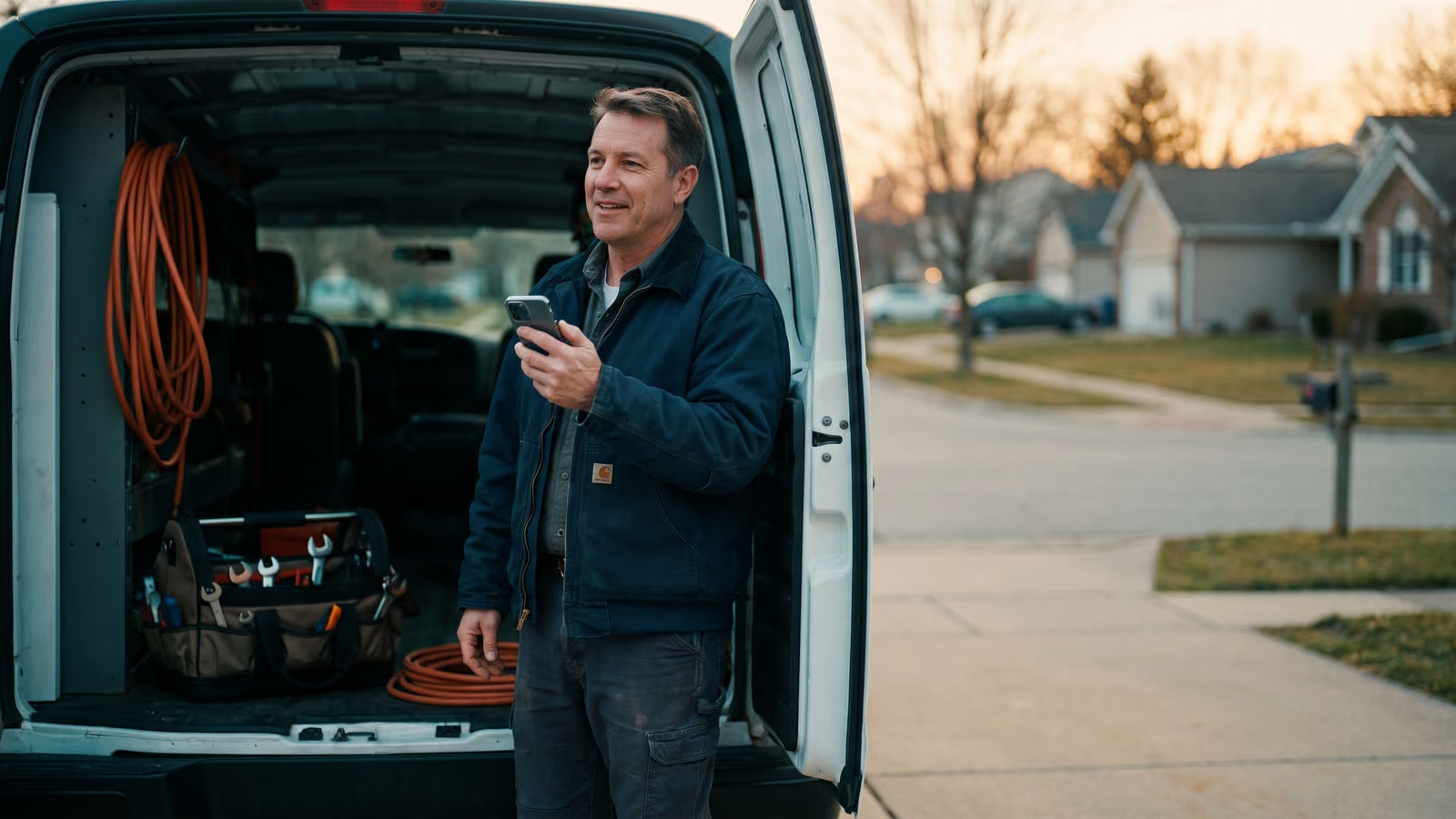
Your tech finishes a compressor swap at 4:40, sits in the truck, and types four lines into their phone with one thumb. "Fixed unit. Replaced part. Customer happy." Then they drive home. The office reads that note the next morning, can't tell what was actually done, and calls the tech to ask. The invoice goes out Thursday. Maybe.
That gap between the work and the paperwork is where money sits still. Voice to invoice software closes it by letting the tech talk through the job out loud while it's fresh, then turning that recording into a write-up the customer can read and line items the office can bill from.
By the end of this page you'll know whether that flow fits your crew, and what to ask any vendor who sells it.
What voice to invoice software actually does for a trade crew
The tech finishes the job, opens the app, and talks. Two minutes, out loud, the way they'd explain it to you on the phone: what was wrong, what they checked, what they replaced, what the customer should watch for. The app records it, transcribes it, and hands back two things — a written job note in language a homeowner can follow, and a set of line items the office can turn into an invoice.
That's the whole idea. Voice replaces thumbs.
It's worth being clear about what it doesn't touch. Your pricing stays yours. Your estimate and invoice templates stay yours. Whoever approves and sends invoices today still approves and sends them. The tool takes over one step in the chain, the step where a tired tech at 4:40 types "fixed unit" and drives away.
For a contractor running a crew of three to thirty people, that single step is usually the weak link. Not because techs are lazy. Because typing a proper write-up on a phone in a driveway takes ten minutes, and nobody has ten minutes at the end of the day.
Talking takes two. And the note comes out longer and more useful, because people explain things better out loud than they type them.
The rest of this page is how that actually works, and where it breaks.
How voice to invoice software turns a truck recording into an invoice
Three things have to happen, and only one of them involves AI. The tech records their voice at the truck while the job is fresh. The audio gets transcribed and shaped into a customer-readable write-up with line items attached. Then the tech reads it, fixes what's wrong, and approves.
That last step is required, and any tool that tells you otherwise should make you nervous. The parts worth understanding are what the tech actually says out loud, what the software does with it, and how much editing lands back on a person.
The tech opens the app at the truck and talks through the job
The job's done, the tech is back at the truck, and the details are still in their head. They open the app, hit record, and talk for a minute or two. What was wrong. What they did. Which parts went in, and how many. What they told the homeowner about the compressor that's going to need replacing before next summer.
That's it. No typing with one thumb while holding a clipboard.
The talking matters more than it sounds. A tech who types will write "replaced cap, tested ok." The same tech, talking, will say the capacitor was bulging, the unit was short cycling, and the customer should keep an eye on the fan motor. That's the write-up a customer can read, and those are the line items your invoice needs.
AI turns the recording into a write-up and invoice line items
The recording gets transcribed, and the raw talk gets cleaned up into two things: a paragraph the homeowner can read, and a set of line items ready for invoicing.
The cleanup is the part AI is genuinely good at. A tech's voice memo is full of half sentences, a dog barking, and a "hang on, let me check the model number." What comes out the other side reads like a professional job note. The capacitor is a part with a quantity. The diagnostic is labor. The warning about the compressor lands in the notes where it belongs, so it's on the record when that call comes in next July.
Those line items carry straight into the invoice. Nobody retypes them from a separate document. The office manager opens a draft that's already mostly built instead of a voice file and a blank form.
The tech fixes anything wrong before clients see it
Transcription gets things wrong. A compressor running ten feet away, traffic, a radio in the garage — any of it can turn "R-410A" into something else, or drop a digit off a part number. Model numbers and prices are exactly the fields a microphone handles worst, and exactly the fields that matter on an invoice.
So the last step belongs to a person. The draft comes up on the tech's phone with the write-up and the line items already filled in. They read it once, fix the model number, confirm the quantity on the part, check that the labor line matches what they actually did. Then they tap send.
That takes a minute or two in the truck, not fifteen at the kitchen table. The work is reviewing something that's already written instead of writing it from nothing, and that's the difference between an invoice going out today and going out Friday.
Why same-day invoices get paid faster
A customer who just watched your tech fix their furnace is the most willing to pay they will ever be. The unit works, the problem is gone, and the price feels fair because they remember the hour of work behind it. Wait four days and that memory fades. Wait two weeks and your invoice lands next to the car payment and the vet bill, and now it's a line item they're deciding about instead of a job they're grateful for.
That's the real reason to get the write-up done at the truck. Same-day billing is the one thing in the whole collections process you actually control. Every other step gets easier when you do it.
There's a second effect on the office. An invoice that goes out the day of the job doesn't need anyone to reconstruct what happened. Nobody texts the tech on Thursday asking what model the capacitor was. Nobody guesses at labor hours. The office manager isn't opening a folder of half-finished jobs every Friday afternoon.
And a small business that bills same day has a shorter gap between paying for parts and getting paid for them. That gap is what makes payroll week feel tight. Closing it does more for cash than any discount or payment plan you could offer.
Where voice to invoice software gets it wrong
A job site is a bad place to record audio. There's a condenser fan running, traffic, a dog, a homeowner talking over the tech. Voice to invoice software only has whatever the phone's microphone picked up to transcribe, and it will sometimes get a word wrong that matters.
Numbers are the worst offender. "Fifteen" and "fifty" sound close. A voltage reading, a model number, a quantity of two versus a quantity of ten — these are the exact spots where a mangled word turns into a wrong invoice. Part names are a close second. Trade vocabulary is full of brand names and abbreviations that general-purpose speech tools have never heard spoken by a person standing next to a compressor.
Accents and fast talkers add to it. So does a tech who mumbles the last three words of every sentence.
Keep the tool, and end the flow with the tech reading the draft on their phone before anything leaves. Thirty seconds of review catches the wrong number and the garbled part name, while the tech is still on site and can check the label. The voice recording does the heavy lifting of remembering the job. The person does the checking.
Any vendor telling you their system doesn't need that review step is selling you something they haven't tested in a driveway.
What to check before you pick a voice to invoice tool
The demo will show you a clean recording turning into a tidy invoice. That's the easy part. Ask about the parts that break.
Where the invoice ends up. A write-up that becomes a draft invoice inside one app, and then has to be retyped into your accounting system, has moved the typing rather than removed it. Ask what happens after the tech hits approve. Does the invoice land in the same place the rest of your invoicing already lives? Does it carry over the line items and the customer record, or just the text? If your bookkeeper still has to touch every job, you've bought a note-taker.
Payments. Ask whether the invoice can go out with a way to pay attached, and what happens to that payment once the customer makes it. Same-day invoices only help if the customer can pay the moment they open the text.
The phones your crew already carries. Some techs have an old Android, some have an iPhone two sizes too big for their pocket. Ask what happens with no signal in a crawlspace or a basement. The recording should sit on the phone and go up when the bars come back, not disappear.
What the tech says out loud about the customer. Techs say addresses, unit numbers, gate codes, names of clients, sometimes a card number a homeowner read off. Ask where the audio is stored, how long it's kept, who at the vendor can listen to it, and whether you can delete it. Ask the same about the transcript.
One more: ask who owns the notes if you stop paying. Job history is the record of what your crew did on every piece of equipment in town. You should be able to take it with you.
Common questions about voice to invoice software
What's the best free invoicing app?
Free invoicing apps are fine at what they do. They make a clean PDF invoice, they email it, some take a card payment. The cost shows up elsewhere. You're now keeping the schedule in one place, the job notes in another, and the invoice in a third, and somebody in the office has to retype the same job three times. Free works for freelancers and one-truck shops with a few invoices a month. Once you've got a crew, the time spent copying between apps costs more than the software ever would.
Can AI actually write an invoice?
It can write the draft. AI is good at taking a tech's spoken account of a job and turning it into a write-up a homeowner can read, with the parts and labor pulled out as line items. It's not good at knowing your prices, catching a misheard model number, or deciding whether the second capacitor gets charged. A person approves before it goes out. That's the whole flow: machine does the typing, tech does the checking.
What's the best invoicing software for a small business in the trades?
The one that already knows about the job. If the invoice has to be built from scratch after the work is done, someone has to remember what happened, and that person is usually in a truck heading to the next call. Invoicing that reads from the scheduled job, the tech's notes and the parts used is one less thing to babysit. Jobber and Housecall Pro both do this and charge per user every month. We build the same workflow as something you own.
If you want to talk through how this would fit your shop, book a New Project Consultation.

About the author
Chris Hobbick
I build and fix websites, Shopify stores and business software. I work directly with business owners to understand the problem and agree on the work and price.
Meet Chris →Keep Reading
More Practical Reading.
Real articles on business systems, websites and automation.